Sum by certain keyword in Google Docs
There is actually a cool function in Google Sheets - SUMIF
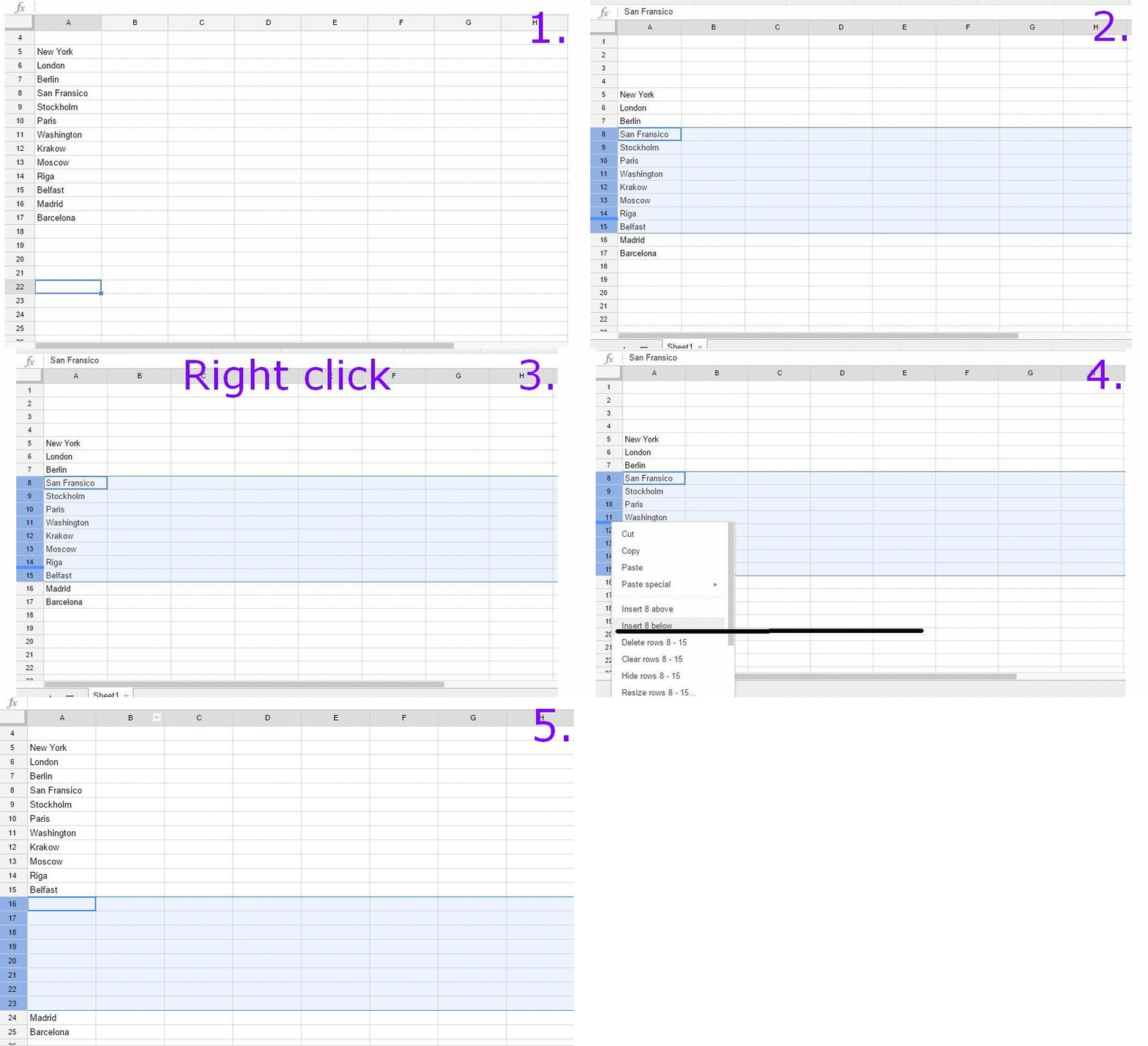
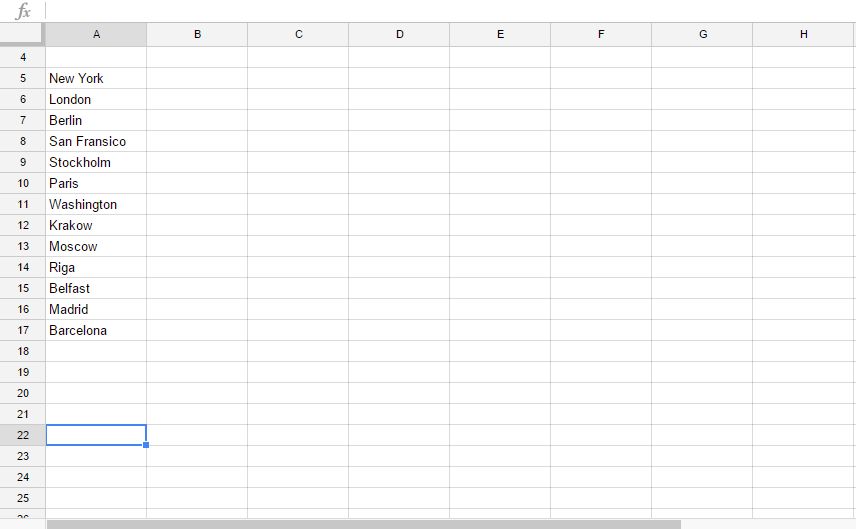 1. Choose how many rows you want to add. In my example I chose eight rows.
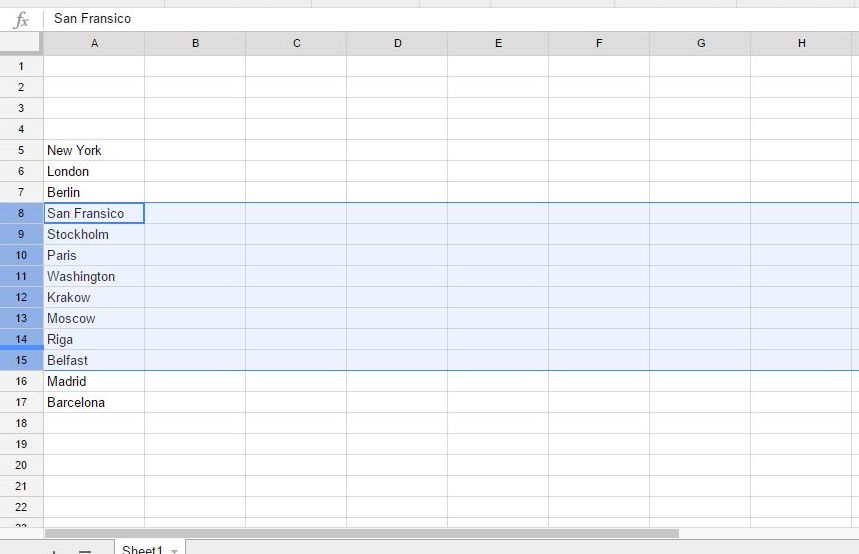 2. Right click and it gives you a choice to add above or below.
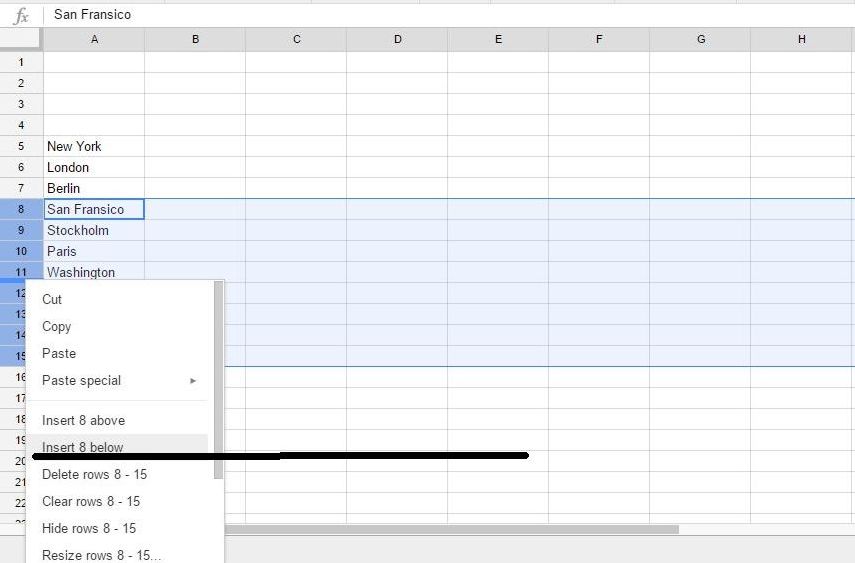 3. I chose below and voila - it is done!
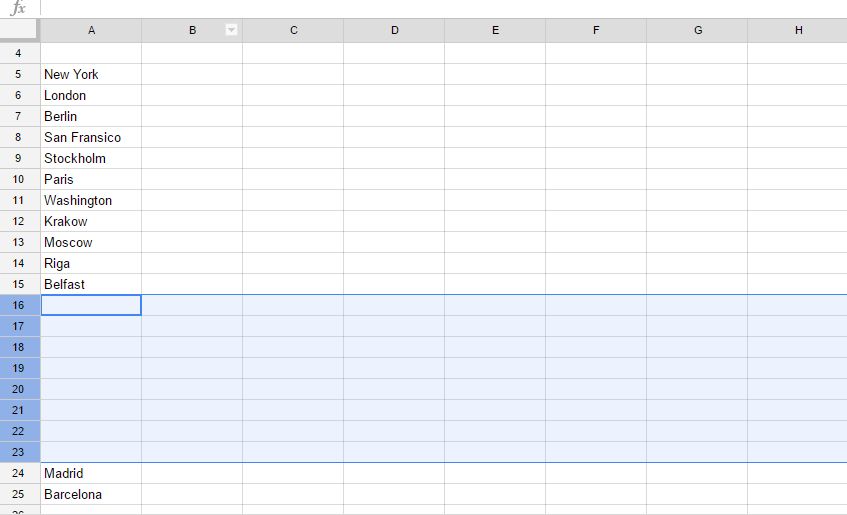 You can you use the same technique for deleting rows and adding-deleting columns.
Here is an animated gif of the full process:
You can you use the same technique for deleting rows and adding-deleting columns.
Here is an animated gif of the full process:
[caption id="attachment_122" align="alignnone" width="754"] If you hover color's checkbox - the hint is there.[/caption]
Click on color's checkbox, it opens colorpicker and you can play with colors directily in your browser.
[caption id="attachment_126" align="alignnone" width="804"] You can test colors using Chrome Developers colorpicker[/caption]
If you press SHIFT and click color's checkbox — it changes color format: hex → rgb → hsl.
If you click on any numerical value and use your mouses's scroll — you can change it as you wish, smaller or bigger.